COBB Custom Features: Tire Size Adjustment
- Brandyn Mowat
- Former user (Deleted)
- Former user (Deleted)
How To: Raptor and F-150 Tire Size Adjustment
Applicable Model/Year:
- Gen2 Raptor 2017 - 2020
- Gen3 Raptor 2021-2022
- F-150 Limited HO 2019 - 2020
- F-150 3.5L 2017-2022
- F-150 Tremor 2021-2022
- F-150 2.7L 2018-2020
- Maverick 2.0L T 2022-2024
- Bronco Sport Badlands 2021-2024
- Explorer ST 2020-2024
Software Requirement:
- Map must be from or resaved in ATP version 3.0.0+17664.15452 or newer
How To Enable:
This feature comes pre enabled on all applicable models. If you are finding this doesn't work correctly ensure you are on the most recent firmware and map updates.
How to Adjust Raptor Tire Size:
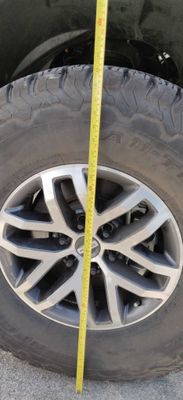
- Figure out the overall diameter of your wheel and tire combination. Either from the tire manufacturer, measuring, or an online calculator.
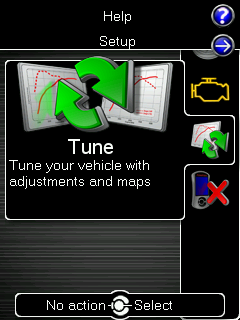
- Journey to the great land of the Adjustments menu from the main screen of your Accessport.
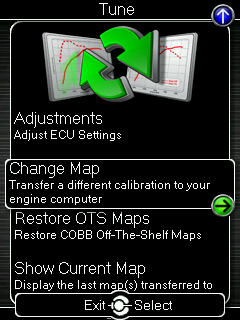
- Within this great land select "Set Tire Size"
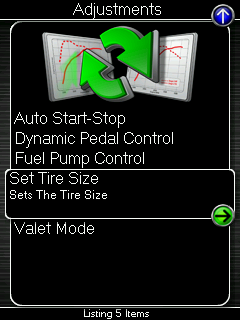
From there you can adjust the tire diameter from a minimum value of 20" to a maximum diameter of 50".
Minimum Tire Diameter = 20"
Maximum Tire Diameter =50"
Gen2 Raptor (2017-2020)
Stock Tire Diameter = 33.2"Gen3 Raptor (2021-2022)
Stock Standard 35" Vehicle = 34.4"
Stock37" Performance Package = 34.5"
2017-2020 F-150
Stock Tire Diameter = 30.2"
2021-2022 F-150
Stock Tire Diameter = 31.9"2021-2022 F-150 Tremor
Stock Tire Diameter = 32.1"2022-2024 Maverick
Stock Tire Diameter = 28" (225/65 R17)
2021-2024 Bronco Sport Badlands
Stock Tire Diameter = 27.7" (225/65 R17)
2020-2024 Explorer ST
Stock Tire Diameter = 29.75"
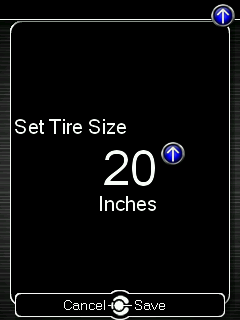
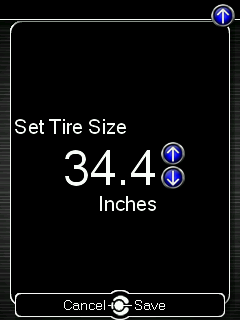
Click the center button to save your changes, then turn your car off for 15 seconds before re-starting.
Related Articles:
How To Update Your AP's Firmware
Contact Us:
COBB Customer Support
Web Support and Tech Articles: COBB Tuning Customer Support Center
Email: support@cobbtuning.com
Phone support available 9am to 6pm Monday-Thursday. 9am to 4pm Friday (CST)
866.922.3059
return to www.cobbtuning.com
Related content
Copyright 2025 © COBB Tuning Products LLC. All Rights Reserved. | www.cobbtuning.com